



Hijri(Islamic) Calendar Date Widget
$7.00
Hijri(Islamic) Calendar Date Widget
Hijri(Islamic) Calendar Date Widget
Overview
This module adds widget for the Hijri Date Picker.
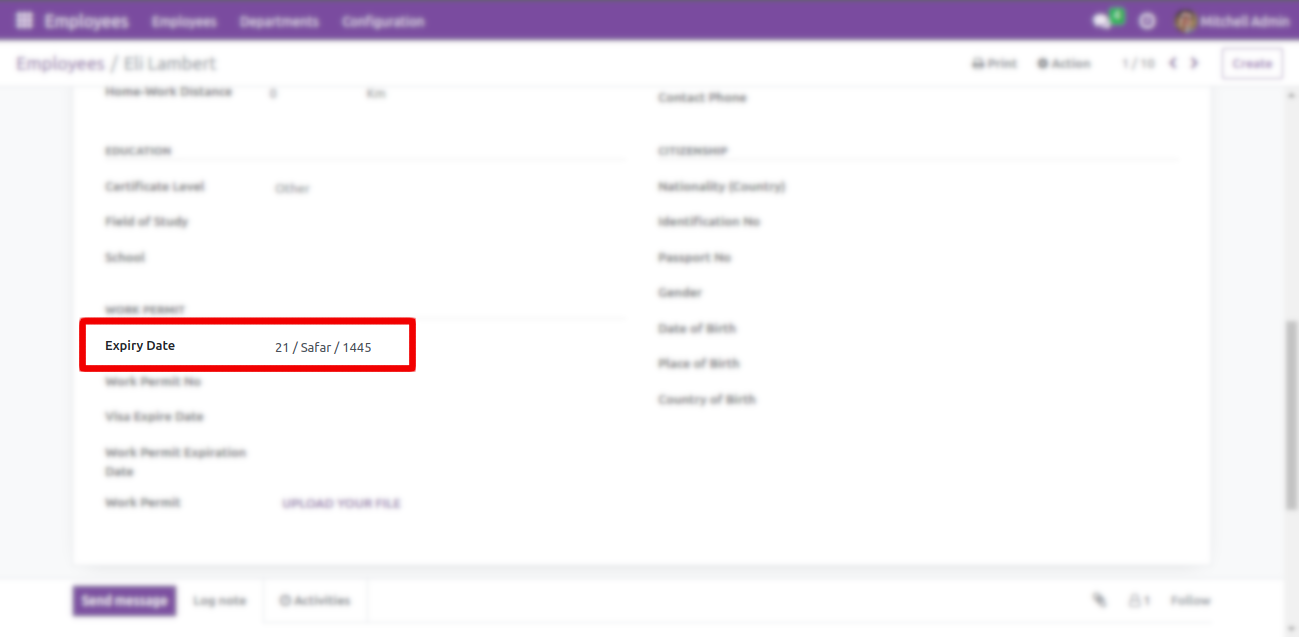 Readonly Screen
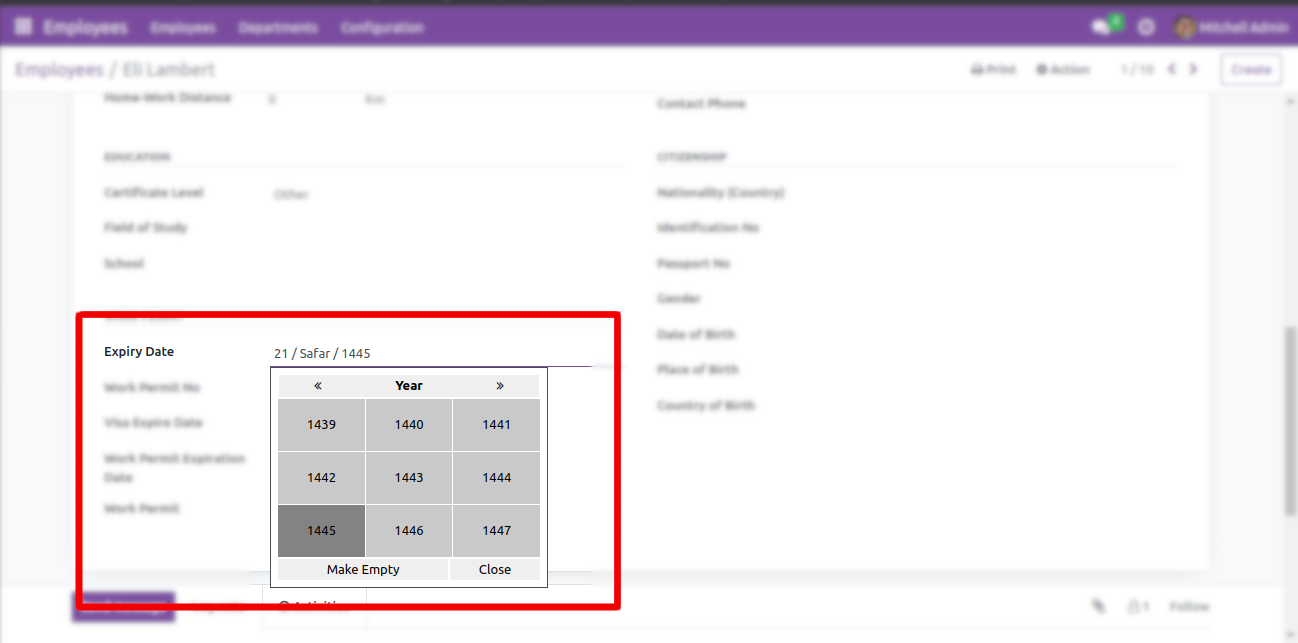 Edit Screen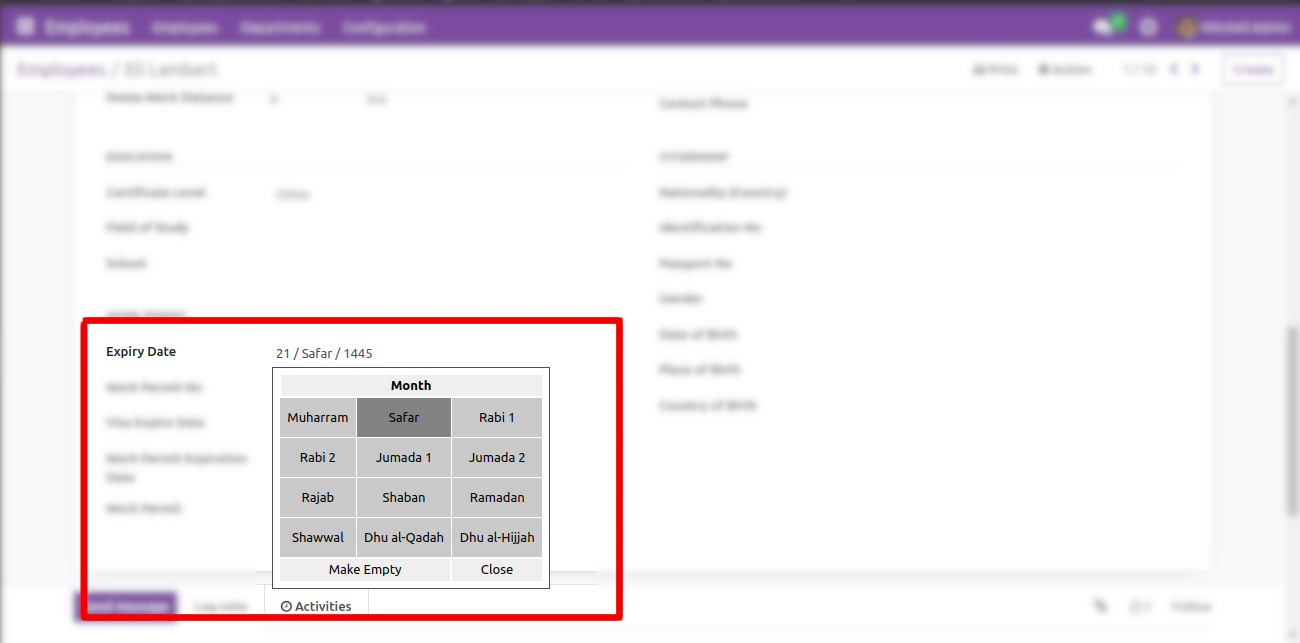
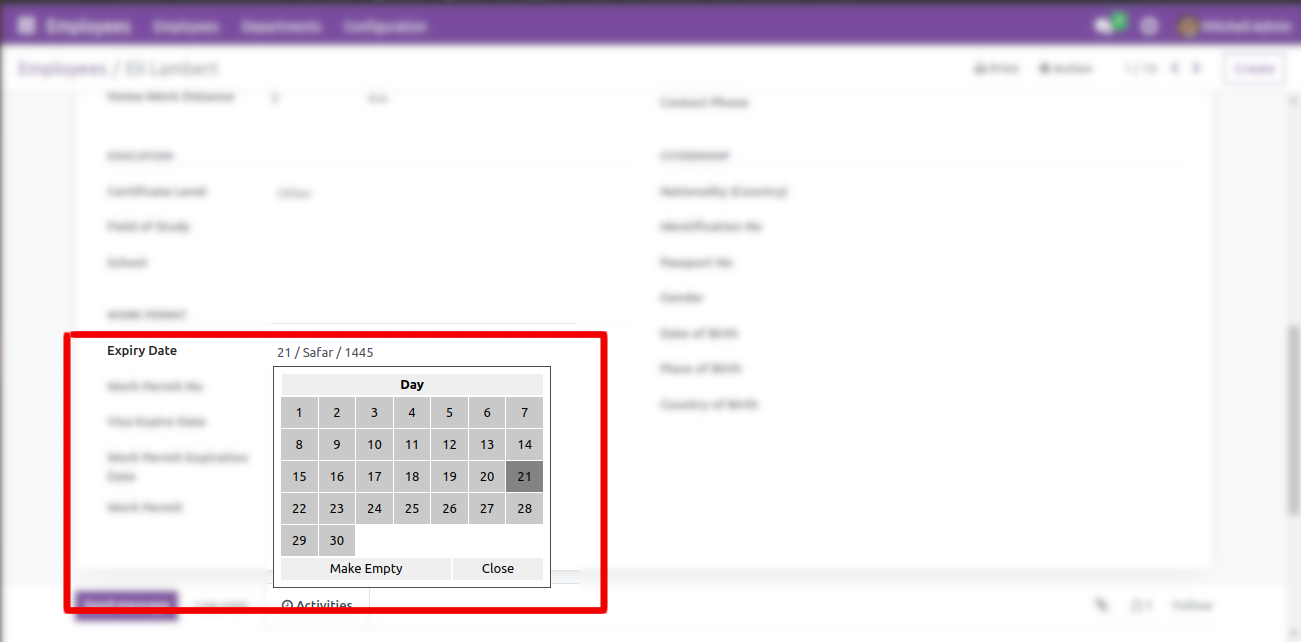
 USAGE:
Add widget="date_hijri" for Char Field. Then that field will be transformed as Hijri Picker. Applicable only in Form view.
 Watch YouTube Demo
Advanced Features (Optional)
Conversion between Hijri and Gregorian
The module comes with an optional built-in feature for converting between Hijri and Gregorian dates. Two fields have been created to accommodate Hijri and Gregorian input. If you change date of one field will automatically update the other field. This conversion process is happened by the Python package hijri-converter, and you can install it by executing the command pip3 install hijri-converter in the terminal.”
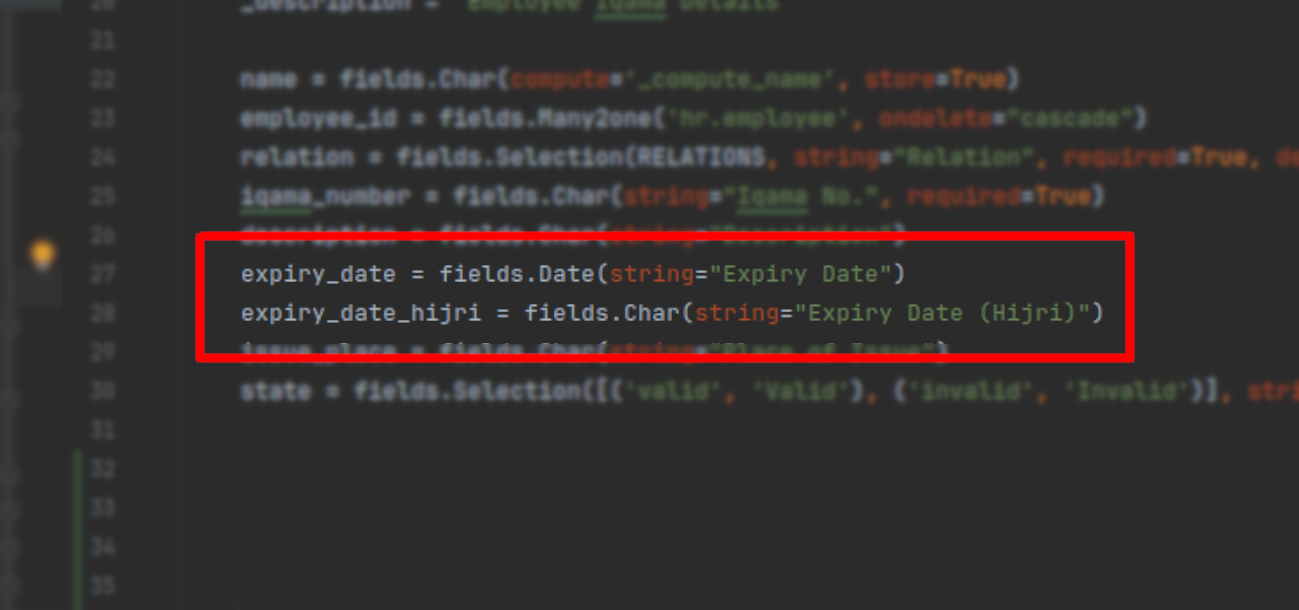 STEP 1: Set up two fields – one designated for Gregorian date in the
 Date() field type, and another for Hijri date in the Char() field type.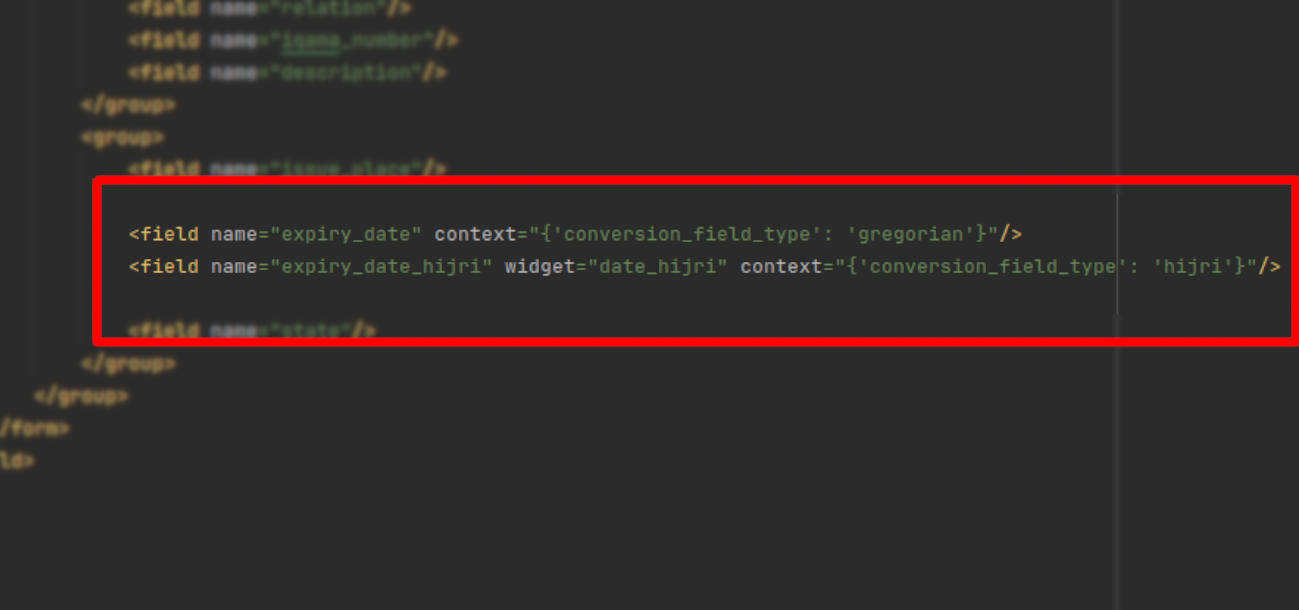 STEP 2: In the XML view, Apply the context
 {'conversion_field_type': 'gregorian'} to the Gregorian field and {'conversion_field_type': 'hijri'} to the Hijri field.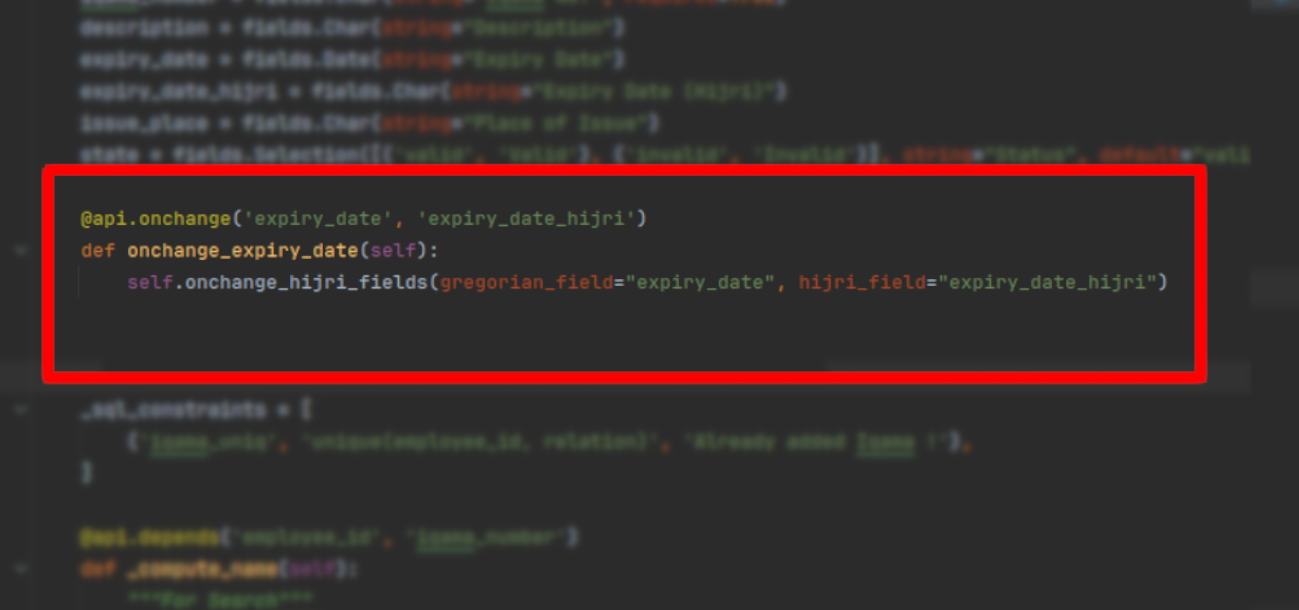 STEP 3: Write an onchange function within the same model that defines the fields. Subsequently, call the
 onchange_hijri_fields() function, passing the technical name of the Gregorian field as gregorian_field and the technical name of the Hijri field as hijri_field. There is no need to define the onchange_hijri_fields() function.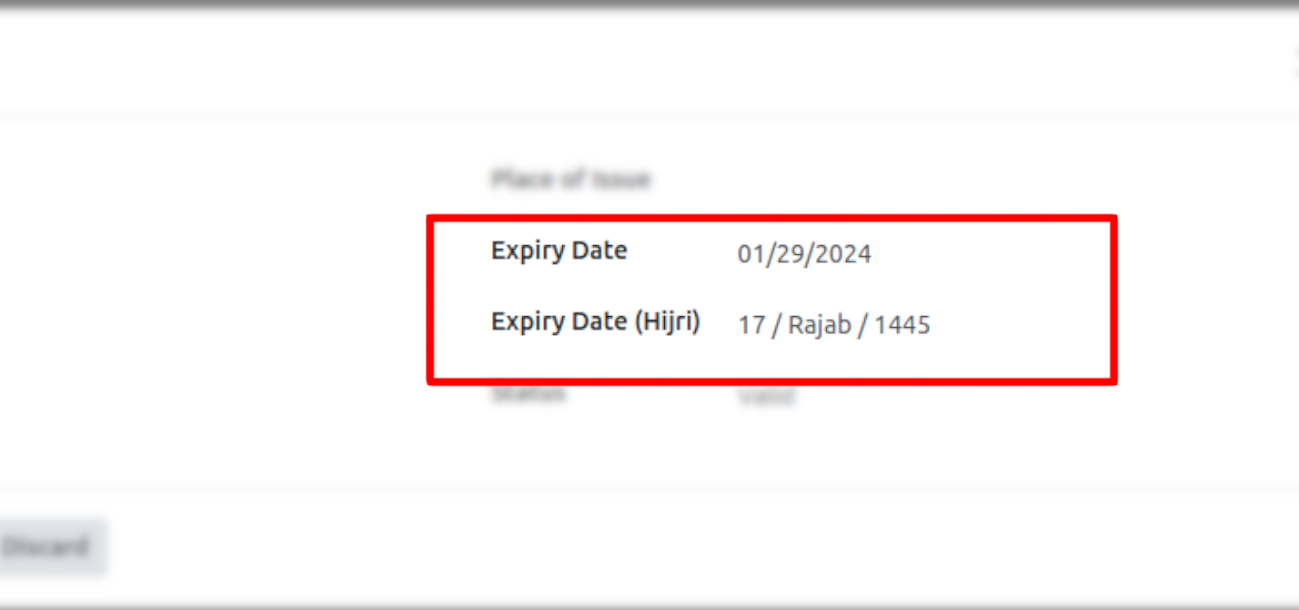 If you follow these steps, the date will be converted automatically.